Happy 100th Birthday Raymond Eldren Bull

Today would have been my grandfather Bull’s 100th birthday.
Raymond Eldren Bull was born on May 8th 1914 in Parkton, Baltimore County, Maryland to Samuel Jacob (Jake) Bull and Beulah Idell (Ida) Schaeffer.  Raymond was the 7th of Jake and Ida’s nine children.

Please do not reproduce
In the above picture, Raymond is sitting on the step. Sitting in the chair on the porch is Jake’s father John Thomas Bull.  In the rocker is Raymond’s brother Herman Paul Bull and sister Dorothy Pauline Bull.
As a child Raymond earned the nickname “Spigs” because that is how he pronounced the word “pigs”.
After the death of his mother in 1921, some of the younger Bull children were raised by other family members.  Raymond went to live with his older brother Kenneth Elridge Bull.  
Raymond married Margaret Adeline Pisani on 5 Aug 1937 in Cookesville, Howard County, Maryland.  At the time they were expecting their first child, Charles Louis Bull who was born on 21 Nov 1937 and died on 27 Feb 1938.  Raymond and Adelina had 3 more children, Ruth Lorraine, Margaret Ellen and Yvonne Louise.  
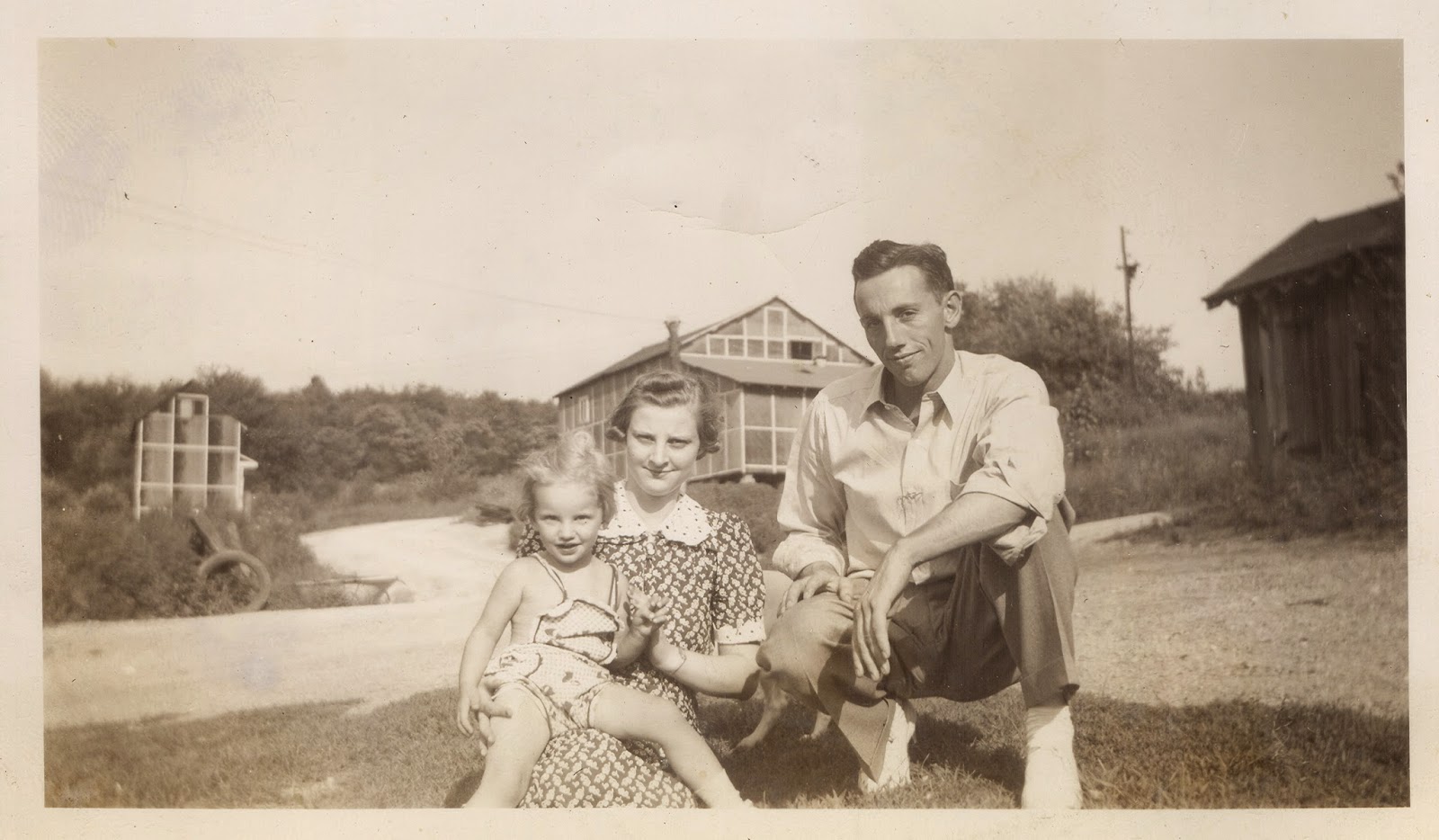
Ruth Lorraine, Adelina and Raymond.  Please do not reproduce.
Raymond and Adelina lived in Baltimore City, Maryland, then moving to White Hall, Baltimore County, Maryland.  Raymond worked for the Baltimore Transit Company, as did several of his brothers, first driving streetcars and then buses in Baltimore City.
In 1953, Raymond and Adelina bought about 7 acres in Beckleysville, Carroll County, Maryland at intersection of Beckleysville Road, Foreston Road and Gunpowder Road.  The property included a general store which the Bulls operated.  There were usually card games at the Bull house on Saturday nights.
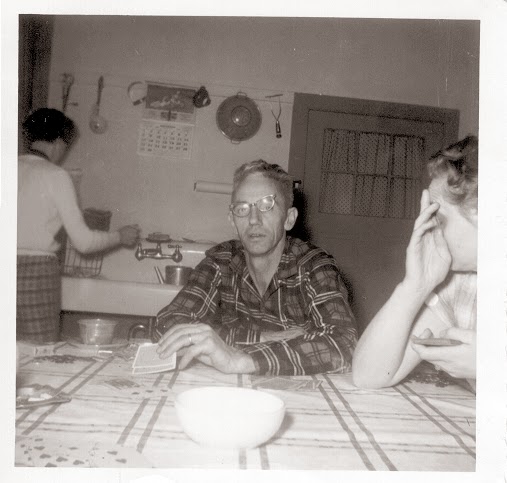
Saturday night card playing.  Please do not reproduce.
On 7 Dec 1959, Raymond was driving on Beckleysville Road with 4 other passengers when the car skidded on ice and snow and struck the abutment of Beckley’s  bridge.  Raymond and 3 others were killed in the accident.
My mother was 15 years old when her father was killed so I never had a chance to meet my grandfather Bull.  Because of that I never know what to call him.  I mostly refer to him as “Raymond”.  I only know him through stories from my mother and what I imply from pictures.  
Raymond only met 2 of his grandchildren, he had 7 more, plus 13 great-grandchildren.
 Raymond and grandson Leonard Samuel Hare Jr.  Please do not reproduce.
The above picture was on a roll of film that was not developed until June 1960, 6 months after Raymond’s death.
Happy 100th birthday Raymond, I wish I had had the opportunity to meet you and know you better. 

Part Two of Computer Upgrade – Organizing Electronic Files

Continuing my preparation and evaluation before upgrading my laptop, here is Part 2 – Organizing Electronic Files.

As mentioned in my post What did I get myself into? when it comes to my electronic files, THEY ARE A MESS!!  When using my previous computers, I would often copy files from cameras, back up files to CDs, DVDs and flash drives and then just dump them in a random folder on my computer.  This made life very hard when it came to transferring files from an old computer to a new one.  Hard enough that I would get frustrated and decide “I’ll just dump everything here and deal with it later”.

Unfortunately, I also took this approach when I started using cloud storage.  So my cloud folders are a bit messy as well.  I have started reorganizing my cloud and have made a lot of headway on that project but I still have a bunch of files to get through.

Because I know that I can very easily fall into the “I can do this later” philosophy, I’ve decided that I will not purchase a new computer until I deal with the mess I have created.  The new laptop will be my reward for getting organized.

When I first started researching my family in 2002, I jumped in feet first without much consideration of sources and attaching records to my database.  I think that is relatively common.  I downloaded documents that I found, I took pictures of headstones (never correctly recording which cemeteries I took which pictures in), scanned pictures I had.  Most of the time I just accepted the default name that the program or device assigned to the image.  Later, as I realized that I needed to source my stuff and that I could attach records and media to my database, I copied some files from the dumping ground to more organized folders.  SOME FILES.  But which files?  Since the original files are still in the dump folder I know I probably have multiple copies of a lot of files.  This will take weeks to get through.

How am I  organizing my files?

My first step to cleaning up my cloud folders, which I will continue to use for my unsorted files, is developing a folder and file name structure that works for me.
I did some research to try and find a “standard” but there was none that I could find.  I looked at what other people have used and didn’t like anyone’s system in total.  So, since I don’t have enough to do, I am developing my own system.  It is a work in progress but so far I am happy with it and I think it will work.

In order to try and avoid long, drawn out file names I’m trying to use tags in the files.  I know that some programs and sites do not support tags (and also strip out other metadata) so I haven’t gotten deep into this yet, I’m still doing some playing around to see what stays with the files where.
Tagging and metadata can only get better so I think this is the way to go.  This should allow me to do things like add tags for new people that I find on a census page that I didn’t have originally without changing the file name.  I think I can use more generic naming for files other than photos of specific people by tagging the people in the documents instead of including them in the file name.

I have a lot to do, I better get going!

Stay tuned for Part Three – Software Audit…

Part One of Computer Upgrade – Storage and the Cloud

Continuing from yesterday regarding my preparation and evaluation before upgrading my laptop, here is Part 1 – Storage and the Cloud.

The first thing I am considering before upgrading my laptop is storage.  How much space am I using now and how much space will I need going forward?
I started with this one because for me it is the easiest.

My current laptop has a 320 Gb hard drive.  Except for a few downloaded documents that were used temporarily, the hard drive space is occupied by the operating system and installed programs.  I still have 85% of the hard drive space available.

This is because about a year ago I made the decision to put as much of my family information “in the cloud” as I could.  So far this has worked great.

I store my family database in Dropbox.  I open my genealogy program on my laptop and the database file is opened from the local Dropbox folder. Since it is a hard-coded path on my hard drive there is no latency or issues with speed.
My genealogy program allows the program to be installed on a desktop and a laptop (as long as only one is used at a time), and I do have the software installed on my desktop as well.  Typically, I only work from my laptop. However, if I do use the program from my desktop and then later want to take my laptop and visit the library or another remote location, I do make sure all the files are synced before taking my laptop anywhere.  This is because I either may not have an internet connection to sync my database or a s-l-o-w connection that takes forever to sync.  Because I am diligent about this, I have never had an issue with unsynced data.

Another advantage of storing my database (and other files) in the cloud is that it gives me a couple additional backups.  I use Google Drive as a backup location for my most important files.  I physically copy anything I want to backup to my Google Drive service.
I have Dropbox and Google Drive installed on both my desktop and my laptop.  Therefore all my files stored in the cloud get copied to both computers.  I also generate a backup of my database directly from my genealogy software that I store both in the cloud and locally.  Finally, I have backups set up of my desktop and laptop (which includes those local cloud folders) to my WD My Drive Live Duo (set up with mirroring).  This makes me feel comfortable that I am pretty safe from disaster.  Granted, my desktop, laptop and external hard drive are in the same physical location but having the data also stored in two different clouds I think this is enough. Luckily I have never had to test this theory!! 
I have considered a commercial on-line backup but so far have not pulled the trigger.  I have been able to store everything in the free Dropbox and Google Drive clouds. I have earned extra storage through referrals and such and so far cloud storage space has not been an issue…and it is free.  At the point I outgrow the free storage I will pay for extra storage through at least one of the cloud services.

Lastly, I love having all my stuff in the cloud because I can access my genealogy documents from any computer, my iPhone and my iPad.  Although I cannot open my actual family database directly from the cloud remotely, I do use a couple different apps that allow me to see my family trees from anywhere.  I have found many times where this has been extremely helpful to have it all at my fingertips.

I have also been asked if I am scared about having all my stuff out there in the cloud.  Personally, I do not have that concern.  I figure that if my company is storing their data in the cloud, I should feel safe.  My company is very conscientious about security and storage of data.  So when they rolled out Google services to replace email and much of the server storage, I figured it was worth a look to store my personal stuff that way too.

Since I love having everything on-line and I don’t have terabytes of stuff, hardware storage is not as much of a priority for me.  I think I can probably get away with most standard configurations as far as hard drive space (if I can control myself when configuring my new laptop) when I upgrade.

Stay tuned for Part Two – Organizing Electronic Files…